To approach these tasks in a simpler and more structured way, our UX team has created a collection of UX hacks.
These are short, practical approaches that have proven effective in everyday project work and can be applied with minimal effort.
The hacks present different perspectives and aim to make UX processes clearer, more efficient, and easier to understand.
1. Design Lint Plugin
The
Design Lint Plugin
is a helpful UX hack for quick quality checks of designs in Figma.
It supports teams in working cleanly and consistently, especially as Figma is increasingly used in design-to-code workflows.
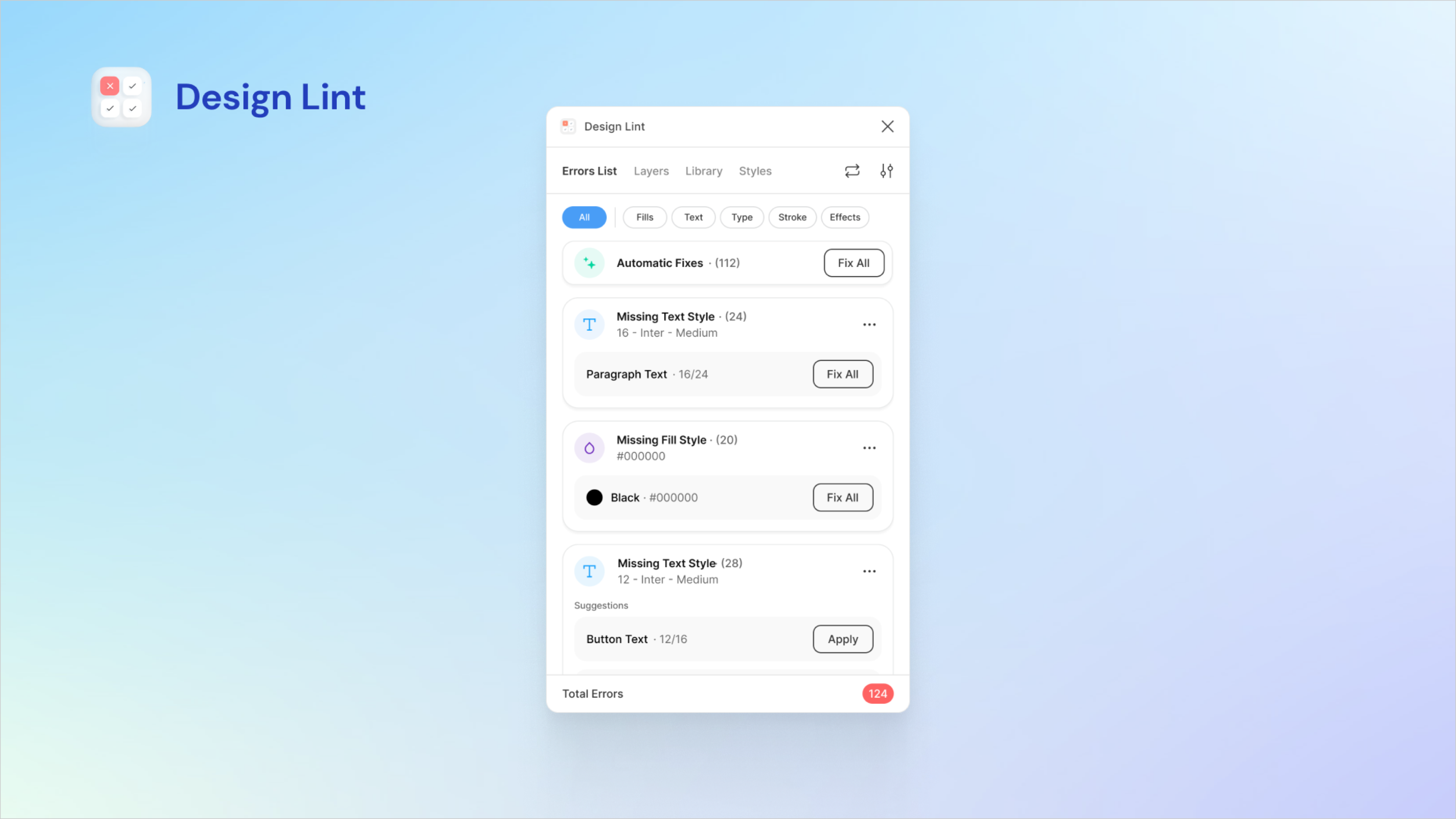
Figure 1: Design Lint plugin in Figma for checking components, styles and spacing
The plugin automatically checks designs for correctly set up components and styles and detects undefined or incorrect colors,
text styles, effects, and spacing. This helps teams consistently follow design system rules, saves time during reviews,
and reduces manual error checks.
At the same time, it simplifies the handoff from design to code by enabling a fast visual review without checking every detail individually.
2. Vispero Color Contrast Checker
The
Vispero Color Contrast Checker
is a practical UX hack for quickly checking WCAG compliance of color contrasts in designs.
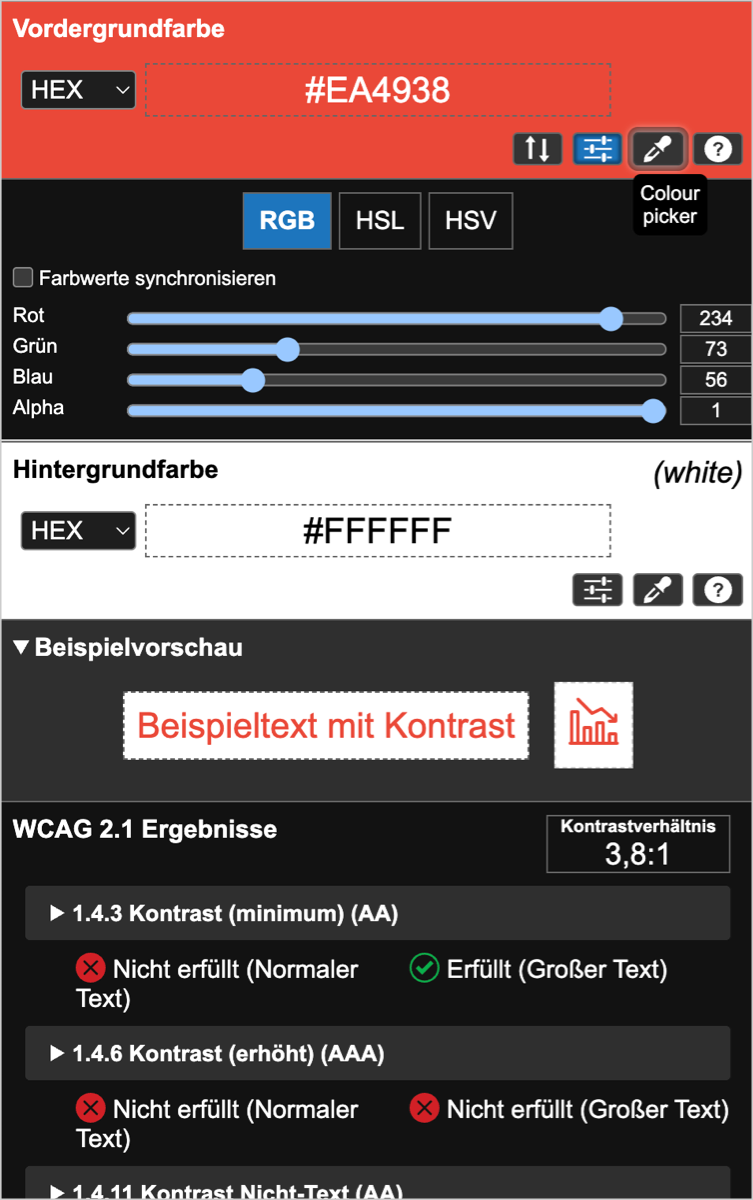
Figure 2: Vispero Color Contrast Checker for WCAG-compliant color contrast
It allows a direct comparison of foreground and background colors based on WCAG guidelines,
making it easy to assess the readability of text and UI elements.
Simple color sliders make it possible to adjust colors step by step until the desired contrast values are achieved.
The tool also includes a color blindness simulator, which can be used to test how colors are perceived by users
with different types of color vision deficiencies—an important step in ensuring accessibility and readability for everyone.
3. Smart documentation of presentations with AI
Presentations can be documented easily and efficiently using AI, without the need for additional note-taking.
While one person is presenting, the content is recorded via audio—in our case using the dictation or recording function on an iPhone.
The AI then automatically transcribes the recording and structures the spoken content into a clear, well-organized text.
This results in quickly created, reusable content that is easy to share and document—with minimal time investment.
4. WCAG Contrast Checker Plugin in the Browser
The
WCAG Contrast Checker Plugin
in the browser allows for quick color contrast checks directly on existing websites.
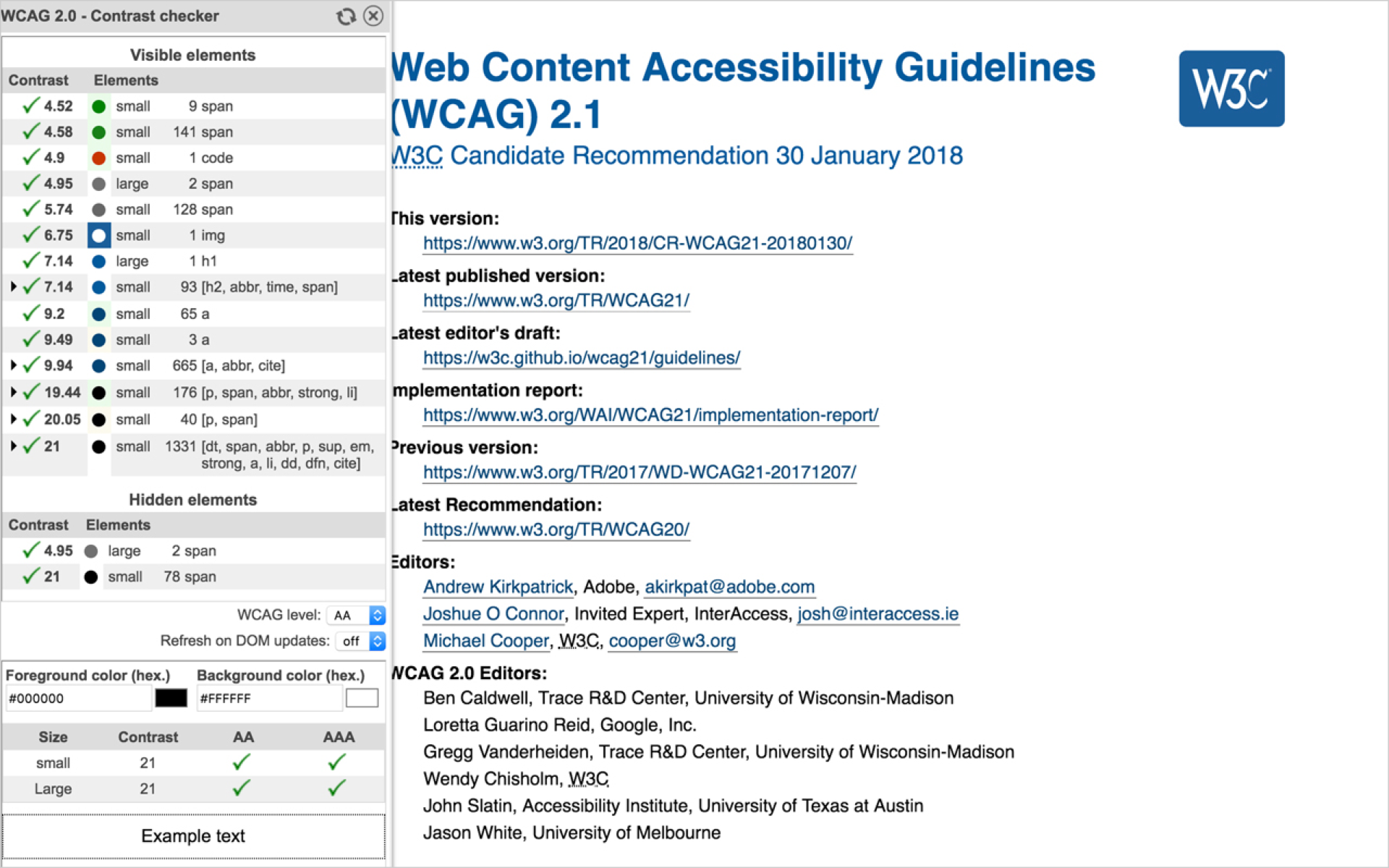
Figure 3: Browser plugin for checking color contrast directly on websites
The contrast can be checked either via the plugin itself or through the browser’s DevTools by selecting an element
and viewing its color properties. This makes it easy to see how strong the contrast between foreground and background colors is
and whether WCAG guidelines are met.
The plugin is particularly useful for quick checks during ongoing projects or for reviewing existing interfaces.
5. AI Feature “Generative Extend” in Adobe Premiere Pro
The AI feature “Generative Extend” in Adobe Premiere Pro allows video and audio clips to be automatically extended
at the beginning or end. The AI generates additional frames and creates seamless transitions without hard cuts.
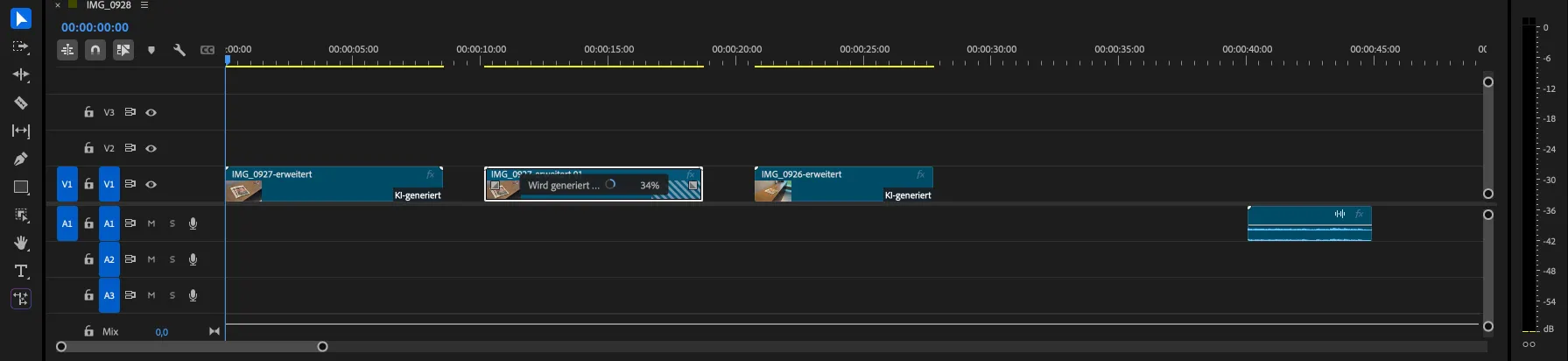
Figure 4: AI-powered extension of video and audio clips in Premiere Pro
This feature offers a practical alternative to slow motion, freeze frames, or duplicating individual frames.
It is used directly in the timeline by dragging the clip edge, after which the AI automatically generates
and marks the new section.
When used creatively, this makes it possible to extend reactions, create calmer scene endings,
or seamlessly lengthen background audio. Technically, video can be extended by up to two seconds
and audio by up to ten seconds, depending on minimum clip lengths.
The feature is based on Adobe Firefly and generates commercially usable results.
Only licensed and public-domain content is used, and no customer data is included in the training process.
6. Coolors – fast color palette generator for UI/UX
Coolors
is a practical UX hack for quickly creating well-balanced color palettes for UI and UX designs.
In just a few seconds, palettes can be generated, individual colors can be locked,
and variations can be further refined. The tool also provides inspiration through a gallery of ready-made palettes
and allows colors to be extracted directly from images—such as mood boards, brand assets, or screenshots.
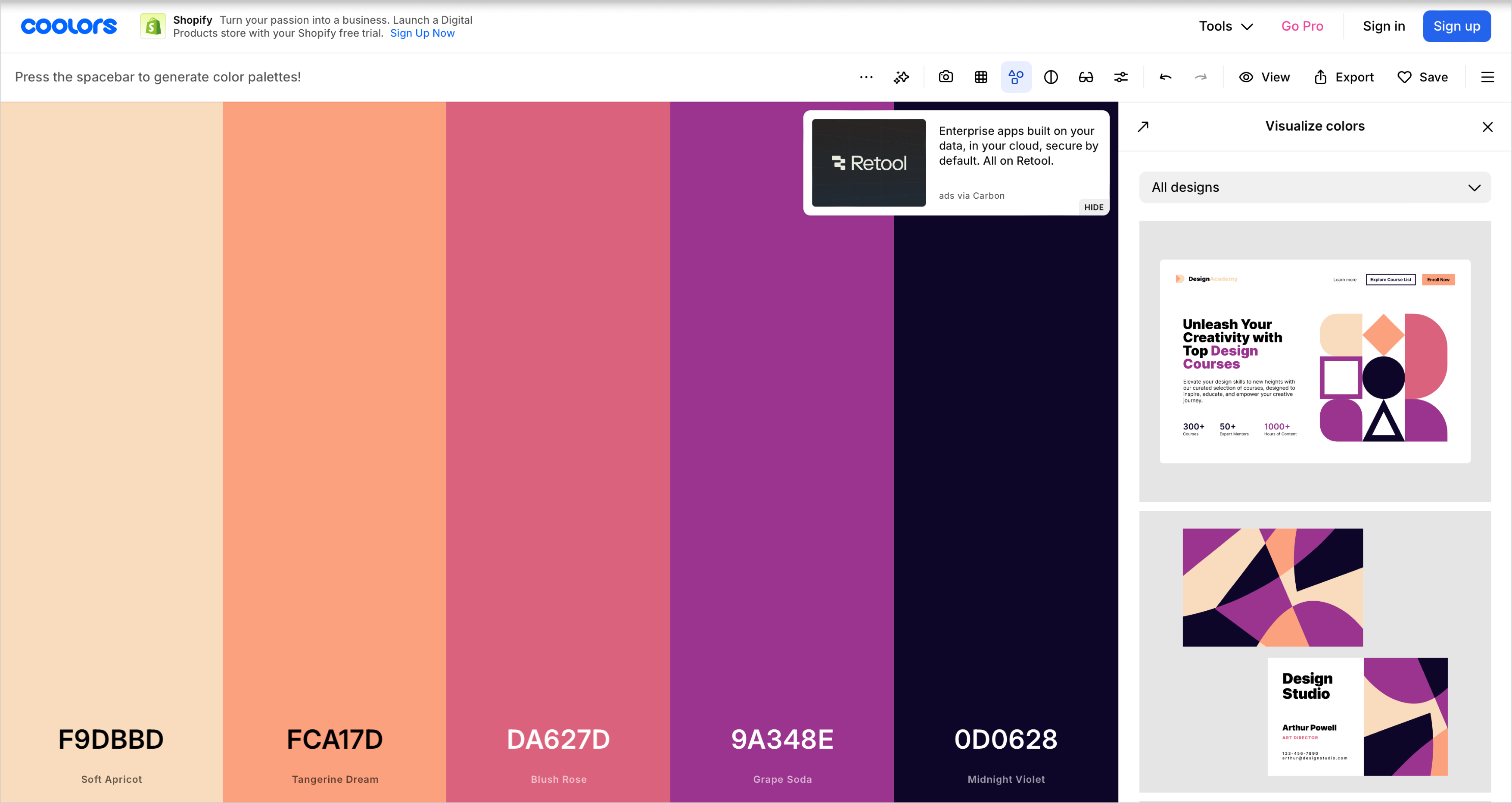
Figure 5: Coolors generates balanced color palettes for UI and UX design
Additional UX-friendly features include contrast and accessibility checks to better assess readability,
as well as previews that show colors directly in use.
The palettes can be saved, collected, and exported for further design or development workflows,
for example for Figma or as CSS, HEX, or RGB values.
The presented UX hacks show that it is often small, pragmatic approaches that can significantly improve everyday UX work.
Whether design, accessibility, documentation, or creative workflows—the hacks can be applied flexibly
and adapted to different project requirements.
They are not intended as fixed rules, but as inspiration to question and further develop existing processes.
Perhaps one of these hacks can be applied directly in your next project or serve as a starting point for new ideas.