Why Figma Variables Are Essential for Modern Design Systems
Design systems are the foundation of nearly every modern digital product. As products grow in complexity—with new features, multiple platforms, and support for light and dark themes—traditional color and text styles quickly become difficult to maintain. This is where Figma Variables make a significant difference. They allow design values to be managed centrally and reused across components, layouts, and themes. The result is a more scalable design system, less maintenance, and better collaboration between designers and developers.
What Are Figma Variables?
Figma Variables are centrally defined values that can be reused throughout a design system. Instead of manually assigning colors, spacing, or sizes, these values are defined once and referenced wherever they are needed. When a variable changes, every connected element updates automatically.
Variables support multiple data types, including colors, numbers, strings, and booleans. This makes it possible to manage not only color palettes but also spacing, border radius, opacity, and other recurring design values from a single source. Another major advantage is flexibility. Variables can reference other variables through aliases and support multiple modes, making it easy to build themes such as Light Mode and Dark Mode.
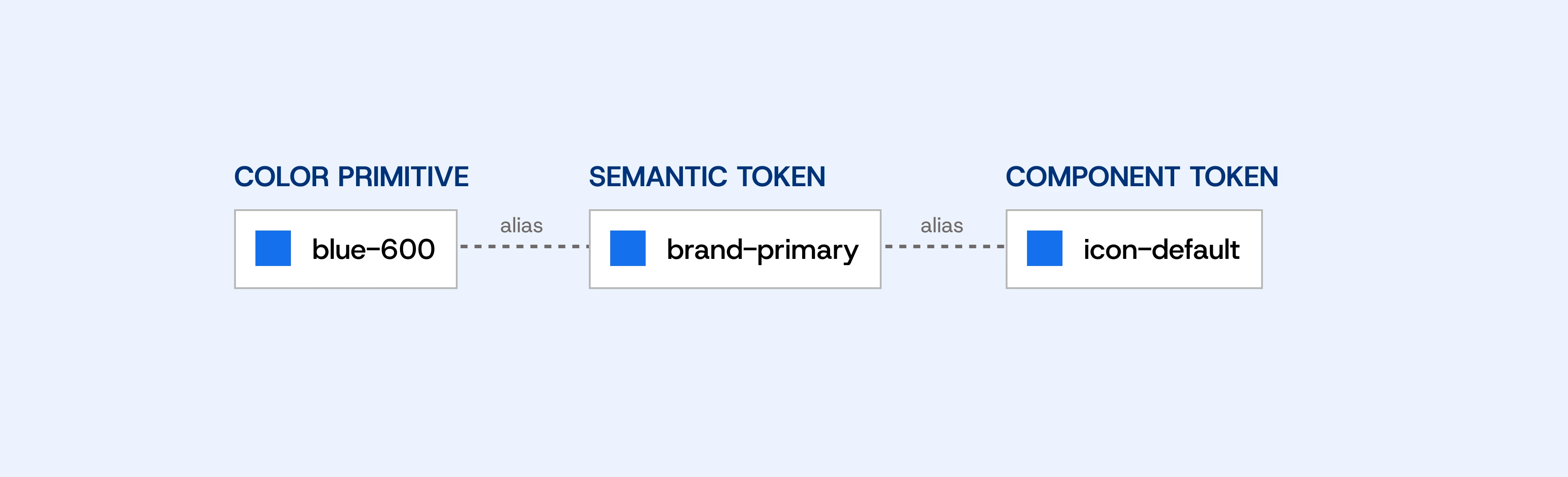
Figure 1: Token Hierarchy and Application
in UI Components
The Three Layers of a Scalable Variable System
A well-structured design system typically consists of three levels of design tokens:
Primitive Variables contain the raw design values, such as Blue 500, Gray 100 or Space 16. They represent the technical foundation of the system without defining how those values should be used.
Semantic Tokens assign meaning to those values. Instead of applying Blue 500 directly to a button, you would use a semantic token such as Primary, Surface or Text Primary. This abstraction allows colors and themes to change without modifying individual components.
Component Tokens define values for specific UI components, such as buttons, inputs, or cards. They reference Semantic Tokens and ensure that components remain flexible while staying consistent with the overall design system.
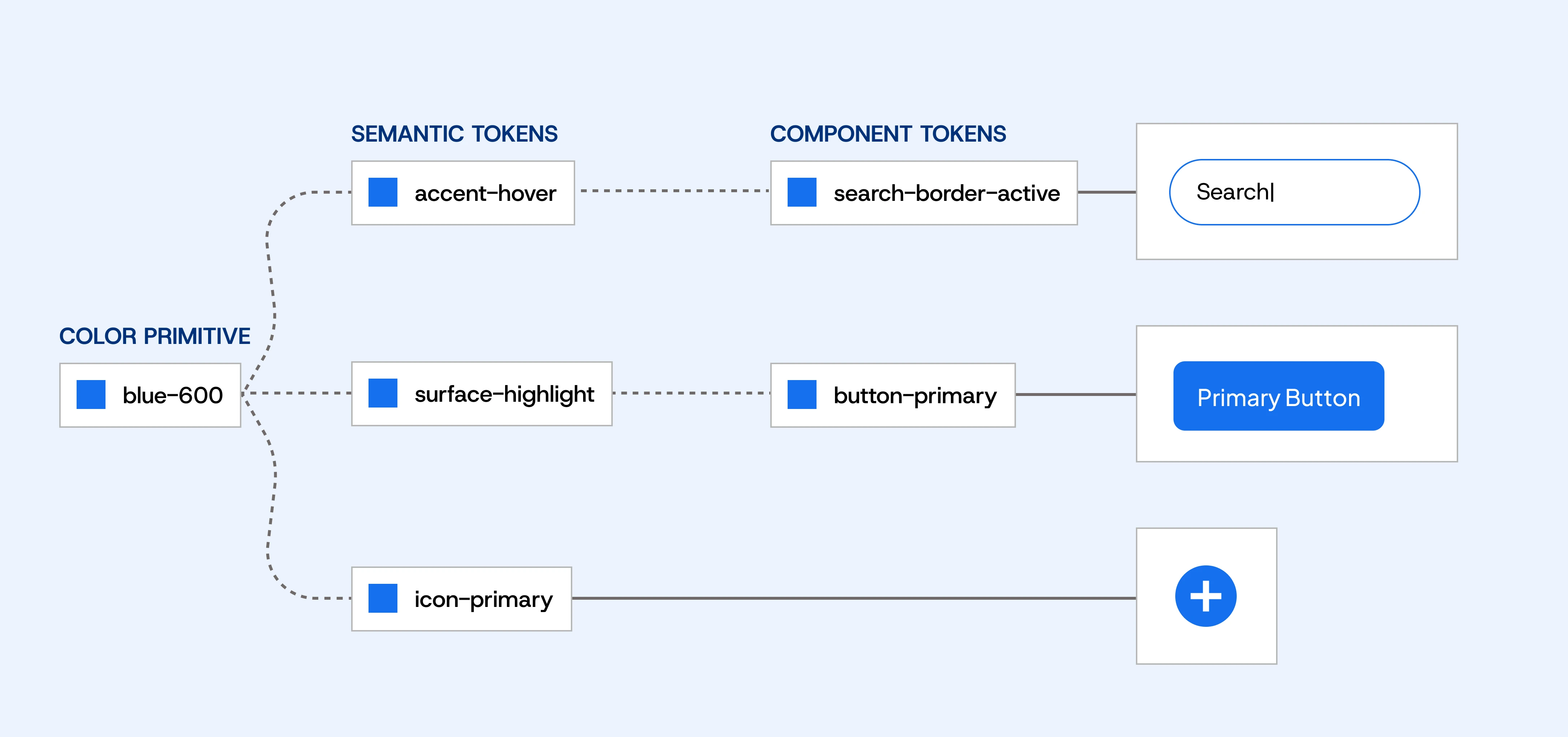
Figure 2: Alias Relationship Between Color, Semantic, and Component Tokens
Why a Master Design File Matters
The full potential of Figma Variables is realized when they are organized in a centralized Master Design File. This file contains the core Variable Collections for colors, typography, spacing, grids, border radius, shadows, and motion. Instead of recreating these foundations for every new project, teams can start with an established system and extend it as needed.
This approach speeds up project setup, ensures consistent design decisions, and significantly reduces maintenance. It also makes rebranding and theme management much easier, as updates only need to be made once and automatically propagate throughout the entire design system.
Figma Variables in the Design-to-Code Workflow
Figma Variables also improve collaboration between design and development. In Dev Mode, developers can see which design tokens are assigned to a component instead of only viewing static colors or spacing values. These tokens can then be mapped directly to CSS custom properties or integrated into frameworks such as Tailwind CSS. This creates a shared language between design and code, making updates more efficient and ensuring consistency across both disciplines.
Why a Well-Structured Variable System Pays Off
Figma Variables are much more than an evolution of traditional styles—they form the foundation of modern, scalable design systems.
By combining Primitive Variables, Semantic Tokens and Component Tokens, teams can build flexible systems that adapt easily to new features, additional themes, or multiple brands. When paired with a centralized Master Design File, Figma Variables reduce maintenance, accelerate project setup, and improve collaboration between designers and developers.
If you're building a future-proof design system, Figma Variables should be an essential part of your workflow from day one.
More articles from our blog